
By Zahid Nawaz, Founder of Motion Graphix ·
Quick answer: Developers do not want to be sold to, they want to be shown. A demo video for an API, SDK or developer tool should open on code or a terminal within two seconds, show one real request and one real response, make the “before” painful in a way a developer recognises, and never use the words seamless, powerful or robust. Keep it to 45 to 75 seconds for marketing, and build a longer, slower walkthrough for the docs. The best developer demos we have made (Fal, Mintlify, Novu, Supermemory) all follow that pattern.
Why developer products are explained badly
Most explainer videos are written by marketers for buyers who need the problem explained. Developers already understand the problem; they live in it. When a video spends 20 seconds explaining that “integrations are hard”, an engineer closes the tab. The second failure is the opposite: a founder records a 14-minute screen share of every endpoint. Both miss the brief, which is to earn 60 seconds of a sceptical, technical person’s attention and leave them wanting to open the docs.
The structure that works for developer demos
- 0 to 3 seconds: the thing, not the brand. Code, a terminal, a request body, a diff. Developers decide in the first frame whether this is for them.
- 3 to 15 seconds: the before, in their language. Not “notifications are complex” but “in-app, email, SMS and push, each with its own provider, retries and templates”. Name the real pain and the real tools.
- 15 to 45 seconds: one request, one response, one result. Show the actual call. Show what comes back. Then show the thing that it made happen (the notification arriving, the document rendering, the model output).
- 45 to 60 seconds: the thing that makes it credible. Scale, latency, languages supported, where it runs, who already uses it. One or two facts, on screen, specific.
- End: a docs link, not a demo-request form. Developers want to try it, not to talk to sales.
Four developer demos and what each one gets right
Fal: show the infrastructure, then let output prove it
Developers care about what the platform runs and how reliably it scales. The Fal video visualises the model graph, then lets wireframe renders do the talking about output quality. No adjectives about speed; the renders are the argument. The second Fal video, for its agent product, goes from one prompt to product photography, an ad and a set of character variants in under 40 seconds. Range shown, not claimed.
Mintlify: show the problem your tool removes
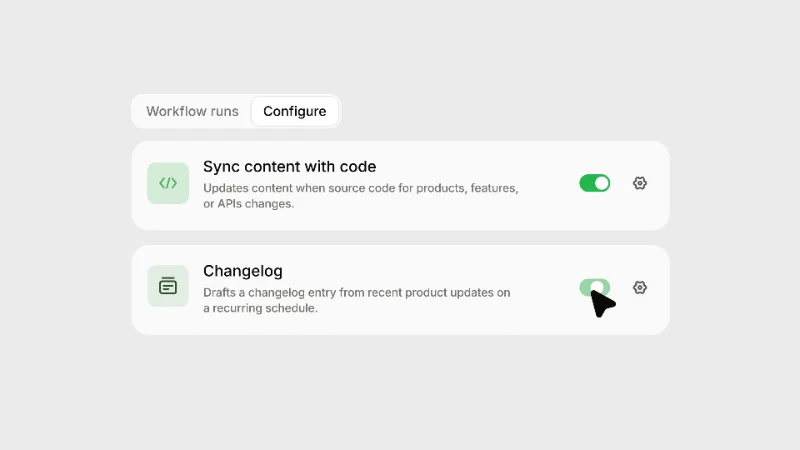
Documentation drifts the moment code ships. The Mintlify demo shows the workflows that keep docs in sync, including translation and broken-link repair, running without anyone asking. The emotional hook for a developer is not “beautiful docs”; it is “I never have to fix that again”. A second, 22-second cut announces that the docs assistant can live inside your own product. Short, because that is the whole update. See product update videos for that pattern.
Novu: the surface and the switchboard
Notifications are infrastructure, so the video shows both the surface users see and the switchboard behind it: in-app, email, SMS and push from one place. Infrastructure products need this two-layer view. Show the end user’s experience for two seconds so the viewer knows what the infrastructure produces, then live in the console.
Supermemory: connect the sources, then show the scoped answer
Company knowledge is scattered across Drive, Notion and Slack. The demo connects the sources, then shows a scoped, approved answer arriving where the work already happens. For AI and retrieval products, the credibility moment is the permission boundary. Show it.
Rules for the script
- Use real code and real responses. Lorem ipsum JSON is spotted instantly. Have an engineer review every frame that contains code.
- Name the alternatives. “Instead of wiring Twilio, SendGrid and OneSignal separately” is more persuasive than any benefit statement, because it proves you understand the current workflow.
- Numbers over adjectives. Latency in milliseconds, requests per second, number of languages, lines of code removed.
- Kill the vocabulary. Seamless, powerful, robust, next-generation, cutting-edge, unlock. If a word could appear in any SaaS video, cut it.
- Design for muted autoplay. The video will be embedded in a README, a docs page, a LinkedIn post and a Product Hunt listing. On-screen text should carry it. See silent-first video.
Visual style: how technical should it look?
Match the audience’s screen. Dark mode, monospaced type for code, a real terminal, UI that looks like the product rather than a stylised version of it. Abstract animation works for the “before” and for architecture (data flowing between services, a model graph), but the moment you show the product, show the product. Basedash’s demo, for example, uses dithered monochrome and slow reveals for a product about asking your data analyst-level questions; the art direction differentiates, but the queries and results on screen are real. More on this in our guide to explaining AI products.
Where developer demos go
The GitHub README (as a GIF or a thumbnail linking to the video), the docs landing page, the Product Hunt or Hacker News launch, the changelog, LinkedIn and X, and the homepage. Each needs a slightly different cut: a 15-second GIF for the README, 45 to 75 seconds for the launch and homepage, a two to four minute walkthrough for the docs. One production should produce all of them. That is how our SaaS explainer videos are scoped, at a flat $1,450.
Quick questions
How long should a developer tool demo video be?
45 to 75 seconds for a launch or homepage. A longer docs walkthrough can run two to four minutes because the viewer has already decided to learn the tool.
Should the founder or an engineer narrate it?
A founder or engineer on camera for a launch video builds trust with developers, who distrust polish. For the evergreen homepage video, a clean voice-over ages better. Many teams do both.
Animated or screen recording?
Real screens, cleaned and animated so the cursor and typing are smooth, with animation reserved for architecture and the before state.
Do you need an engineer on our side?
Yes, for about an hour: one call to walk us through the product and one review of every frame containing code or a response.




