By Zahid Nawaz, Founder of Motion Graphix
Quick answer: The hard part of an AI product video is that the “magic” happens out of sight. Do not try to show the model. Show the before and the after, then show the two or three steps the agent takes in between, on real screens. Avoid the words “AI-powered” and “revolutionary”. Add one trust cue, such as “every action is logged” or “you approve before it sends”. Keep it to 60 seconds.
Why are AI products so hard to explain?
With a normal app, the video shows someone clicking and something happening. With an AI tool, the work happens inside a model. There is nothing to point the camera at. So teams fall back on glowing brains and the word “intelligent”, and the buyer still does not know what the thing does. In 2026 every product says it has AI, so that word no longer tells anyone anything.
What structure works?
- The before (0 to 10s). One person, one painful task. “Every Monday, Sara spends two hours matching invoices to purchase orders.”
- The after (10 to 20s). Same person, same task, done. “Now it takes four minutes.”
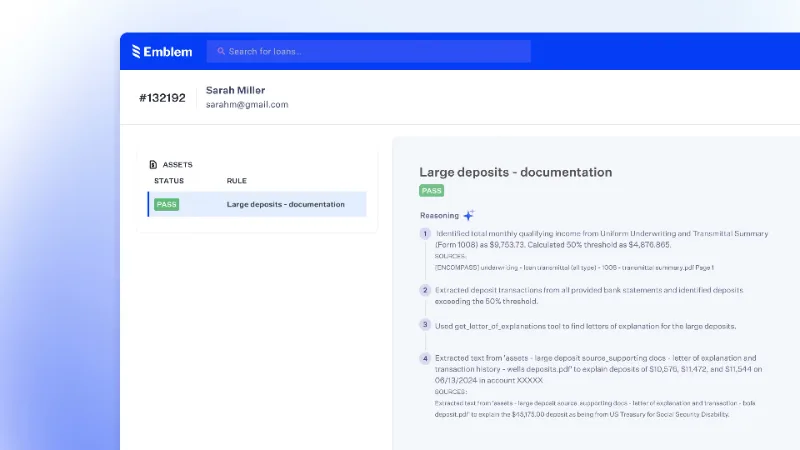
- How it works (20 to 45s). Show three steps on real screens: reads the invoice, finds the match, asks Sara to approve. This is where you show the agent’s steps, not the model.
- Trust and control (45 to 55s). One line: “Every match is logged and Sara can undo any of them.”
- Call to action (55 to 60s). “Try it on your next ten invoices.”
What should you show on screen?
- The real interface, simplified. Blur what does not matter.
- The agent’s steps as short labels appearing in order: Read, Match, Ask.
- A visible “approve” moment. Buyers want to see a human in the loop.
- A result with a number. Time saved, errors caught, tickets closed.
Do not show: a chat box with a wall of text, code, model names, or a floating brain.
Which words should you avoid?
“AI-powered”, “revolutionary”, “next-generation”, “leverages machine learning”, “seamlessly”. Replace each with what the product does in plain words: reads, sorts, drafts, flags, answers. If a sentence still makes sense after you delete “AI”, delete it.
What trust cues matter for AI buyers?
- The user approves before anything is sent or changed.
- Actions are logged and can be undone.
- Data stays inside the customer’s account.
- It shows its sources or its reasoning in one line.
One of these, shown on screen, does more than a paragraph of policy text.
A sample 60-second script
“Support tickets pile up overnight. By 9am Dan has 140 waiting. [Show inbox.] Now his assistant reads each one, drafts a reply from the help centre, and sorts them by urgency. [Show three labels: Read, Draft, Sort.] Dan reviews the drafts and sends the good ones with one click. [Show approve.] Nothing goes out without him. [Show log.] Same 140 tickets. Done by 9:40. Try it on your inbox this week.”
We have made explainers for AI agents, copilots and model platforms; see the AI industry page for examples.
Quick questions
Animation or screen recording for an AI product?
Animation, because you can simplify the interface and show the steps clearly. Real screens are often too busy.
Should we say which model we use?
No, unless buyers are engineers. It dates the video and rarely helps.
Can the video be longer for a complex agent?
Keep the main one at 60 to 90 seconds and make a separate 3-minute deep dive for people who ask.
Explaining an AI product? Get pricing or get a free 10-second sample of your product animated.