
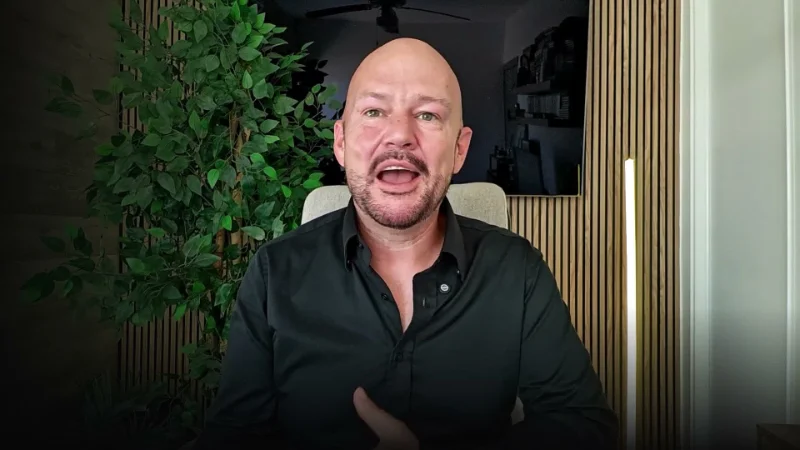
By Zahid Nawaz, Founder of Motion Graphix ·
Quick answer: A SaaS testimonial video works when a named customer describes a specific before, a specific after, and one number, in under 90 seconds, cut against the product screens they are talking about. Getting one is mostly a timing problem: ask at the moment of a win (a renewal, a result in the dashboard, an unprompted thank-you), make it a 20-minute remote recording rather than a shoot, and send the questions in advance. Below is the process we use for clients and for our own testimonial videos, plus the script structure that makes the result usable.
Why most SaaS testimonial videos are unusable
Because they are asked for too late, recorded badly, and edited into a three-minute “we love working with them” montage with no facts in it. A testimonial without a specific claim is decoration. The viewer wants to know three things: what was the problem, what changed, and how big was the change. If the video does not answer those in the first 30 seconds, it is not doing its job, however nice the customer is.
Step 1: Pick the right customer, not the happiest one
The customer who should be in your video is the one your next buyer will recognise themselves in. Same role, same company size, same industry, same objection they had before buying. A glowing testimonial from a company twice the size of your target market tells your buyer “this is not for us”. Make a shortlist from three sources: renewals in the last 60 days, customers who hit a visible milestone in your product analytics, and anyone who wrote something nice in support or on LinkedIn without being asked.
Step 2: Ask at the moment of a win
The yes rate on a testimonial request roughly doubles when it arrives within a day of something good happening. Automate the trigger if you can: a renewal, a usage milestone, a positive NPS response. The ask should be short, name the specific result you saw, and make the commitment small: “a 20-minute recorded call, we send the questions first, you approve the edit before anything is published”. Never ask for a “video shoot”. Nobody has time for a shoot.
Step 3: Record remotely, properly
- Use a recording tool that captures each participant locally in high quality (Riverside, Zencastr, or a similar tool), not a standard Zoom recording.
- Send a one-page setup note: face a window, laptop at eye level, wired headphones or a plain USB mic, quiet room, 20 minutes.
- Have one person interview and one person watch for sound and framing. The interviewer’s job is to get the customer to tell a story, not to tick questions.
- Record the customer’s screen separately if they are willing, or arrange to capture the product screens afterwards in a demo account. The cutaways are what make the final video feel real.
Step 4: Ask questions that produce specifics
- “Before you had [product], what did a normal week look like for this part of your job?”
- “What finally made you look for a tool?”
- “What were you worried about before you signed?” (This is the most valuable answer in the video; it names your buyer’s objection and dissolves it.)
- “What changed first?”
- “If you had to put a number on it, what is different now?”
- “Who would you tell to use this, and who would you tell not to?” (Honesty here makes everything else believable.)
Avoid “how has your experience been” and “would you recommend us”. They produce adjectives, and adjectives are not evidence.
Step 5: Edit to a structure, not a montage
The cut that works is 60 to 90 seconds: five seconds of who they are (name, role, company on screen), 20 seconds of the problem in their words, 30 seconds of what changed with product screens cut over the audio, 15 seconds of the number and the recommendation. One person, one story. If you have three customers, make three videos, not one three-minute compilation. Add captions; most people will watch on mute. Our JobAdder video follows exactly this shape: a customer explaining the change in his own words, cut against the screens he is describing.
Step 6: Put it where decisions happen
- On the pricing page, next to the plan the customer is on.
- In the sales deck, as the slide before the price.
- In the follow-up email after a demo, with the line “this is a customer in your industry”.
- On the homepage, below the explainer, in a row of two or three with a play button and no autoplay.
- As a 15-second cut for retargeting ads, with the number as the on-screen hook.
Legal and practical details people forget
Get written permission that covers the video, the customer’s name, their company’s name and logo, and the placements you intend to use, and send the final cut for approval before publishing. Keep the raw files; you will want a different cut in a year. If a customer cannot appear on camera for policy reasons, a written review with a photo and a LinkedIn link is the next best thing, and it should still contain a specific result. The written reviews on our site each name the person, role and company for that reason.
What it costs to have it made for you
If you would rather hand this off, the remote recording, interview, product cutaways, captions and three cuts are the same production system we use for our talking head videos, at the standard $1,450 flat price. The customer spends 20 minutes; you spend ten approving the edit.
Quick questions
How long should a SaaS testimonial video be?
60 to 90 seconds for the main cut, with a 15 to 30 second version for ads and social.
Should we offer an incentive?
Offer something that is not cash: a feature in your newsletter, a backlink, a credit on their account. Paid testimonials have to be disclosed in most markets and are weaker evidence anyway.
Remote or in person?
Remote, almost always. The quality gap has closed, the yes rate is far higher, and you can record three customers in an afternoon.
What if the customer is not a confident speaker?
Send the questions in advance, let them answer twice, and cut generously. Honest and slightly awkward beats polished and vague.




