
Quick answer: Put a 45 to 90 second product video directly under your hero headline, set it to click-to-play with a designed thumbnail, and keep the page loading fast by lazy-loading the player. Embedded landing page video can raise conversion rates by 80 percent or more, and video viewers arrive at your demo or trial far better qualified.
Why do landing page videos convert so well?
Software is abstract until someone sees it. Text asks visitors to imagine the product; a video shows the product doing the job. That collapses the evaluation loop: instead of reading, opening screenshots, and guessing, a visitor watches 60 seconds and knows whether it fits. Wistia and HubSpot data both associate embedded product video with conversion lifts of 80 percent and higher on SaaS landing pages.
Where exactly should the video go?
Above the fold, immediately after the headline and subline. The headline earns the click, the video earns the belief, and the call to action under it captures the intent. A second placement that works is next to the pricing section, where a short proof video answers the last objection before the buy decision. Avoid burying video at the bottom of the page; scroll depth kills its reach.
Autoplay or click-to-play?
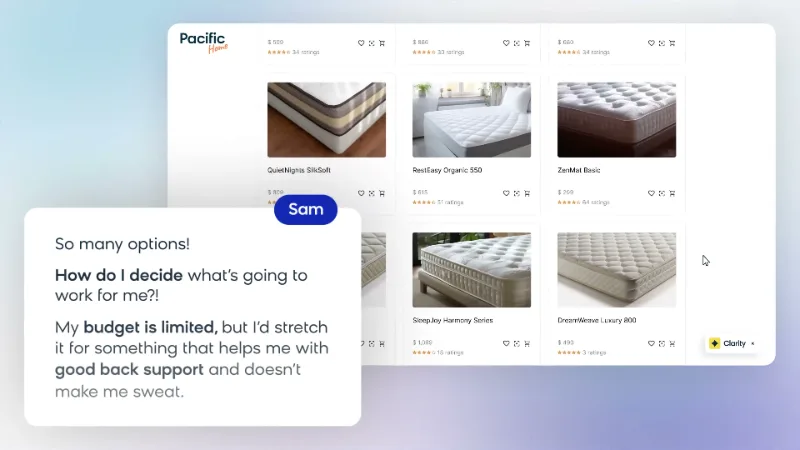
Click-to-play with a strong custom thumbnail wins for hero videos. Autoplay muted loops work for short background demos, but they compete with your copy and hurt Core Web Vitals if not lazy-loaded. The compromise we build most often: a silent 6 to 10 second UI loop as the thumbnail, which expands into the full video with sound on click.
What should the video itself contain?
The landing page already handled the greeting, so the video should skip introductions and show value fast: the problem in one line, then the product in motion solving it, then proof, then a call to action that matches the button under the player. 60 seconds is the sweet spot. Keep the video consistent with the page copy; mismatched messages lower trust.
How do you keep video from slowing the page?
Three rules: lazy-load the iframe so it only loads on interaction, serve the thumbnail as a compressed WebP image, and host on a fast CDN player rather than a raw file. Done right, a video adds under 50 KB to the initial page load. Slow pages lose more conversions than good videos gain.
Frequently asked questions
Does the video need a custom thumbnail?
Yes. A designed thumbnail with the product and a clear title consistently outperforms an auto-generated frame. Every Motion Graphix package includes one.
Should pricing pages have video too?
A short 20 to 30 second proof or testimonial video near pricing reduces hesitation. Keep it shorter than the hero video.
What metrics show the video is working?
Play rate above 30 percent, watch-through above 50 percent, and higher conversion for viewers vs non-viewers in your analytics.
Motion Graphix is a SaaS explainer video production studio that turns software products into clear, high-converting videos. Packages from $1,485 include every format your landing page needs; see pricing or get a free sample.




